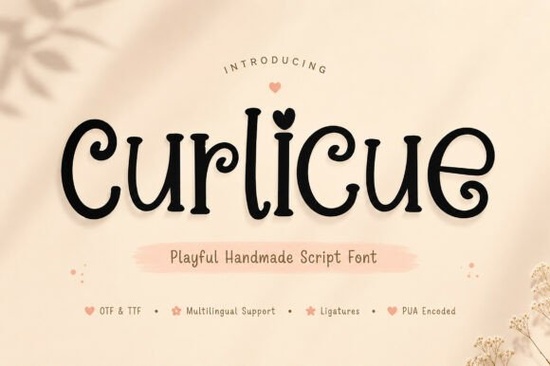
If you're looking for a script font that feels genuinely hand-drawn full of bounce, charm, and quiet confidence Curlicue Font is worth your attention. It’s not overly polished or rigid; instead, it leans into imperfection in a way that feels inviting and human. That’s why designers, small business owners, and crafters who make greeting cards, stickers, or custom packaging often reach for it when they want text to feel personal, not programmed.
What makes Curlicue different from other script fonts?
Many script fonts aim for elegance or speed but Curlicue aims for warmth. Its letterforms curl gently, like ink drying on paper, with subtle variations in stroke weight and rhythm. You’ll notice soft terminals, friendly entry and exit strokes, and a relaxed baseline that avoids looking too tight or formal. Unlike some digital scripts that rely on uniform loops, Curlicue uses natural-looking ligatures and alternate characters to mimic how real handwriting shifts mid-word. That means “hello” won’t look identical every time you type it just like in real life.
Where does Curlicue work best?
It shines where personality matters more than precision:
- Branding for small businesses with a handmade or boutique vibe think candle makers, bakeries, or indie stationery shops
- Print-on-demand products, especially greeting cards, enamel pins, and sticker sheets where legibility and charm need to coexist
- Social media graphics for Instagram or Pinterest posts that benefit from a light, approachable tone
- Wedding or baby shower invitations, where softness and sincerity matter more than formality
Because it’s designed with organic flow in mind, it pairs well with clean sans-serifs (like Montserrat or Poppins) for contrast or with other gentle scripts if you’re building a full typographic system.
How do the alternates and ligatures actually help?
They’re not just decorative extras. The included stylistic alternates let you swap out common letters like a bouncier “a”, a loopier “g”, or a more open “e” so you can fine-tune how a word reads. Ligatures (like “fi”, “fl”, or custom combinations) prevent awkward collisions and add rhythm. Used thoughtfully, they reduce visual repetition without requiring manual tweaking. If you’ve ever spent ten minutes adjusting kerning on a single word, you’ll appreciate how much smoother this makes the process.
Who else is using fonts like this?
You’ll find similar energy in other Creative Fabrica favorites though each has its own flavor. For example, Stowy Font leans slightly more modern and airy, while Grace Brilliant Font adds delicate flourishes ideal for elegant branding. Loopzy Font brings tighter, bouncy energy great for playful logos and Room for Tiramisu Font offers a cozy, dessert-inspired softness. If you like the handmade spirit of Curlicue but want something with a bit more contrast or structure, The Bileso Font might be your next test drive.
What about technical details?
Curlicue comes in OTF and TTF formats, with full Latin character support (including accents), numbers, punctuation, and multilingual glyphs. It works in Adobe apps, Affinity Suite, Cricut Design Space, and Silhouette Studio. No extra plugins needed just install and go. And because it’s optimized for both screen and print, what you see on your monitor stays true when cut, printed, or embroidered.
One thing to keep in mind: like most expressive script fonts, Curlicue works best at medium to larger sizes (16pt and up for body text, 36pt+ for headlines). At very small sizes or in dense paragraphs, the curls and connections can blur together. So save it for moments where it gets to breathe and shine.
For reference, you can preview the full character set and licensing options directly on Creative Fabrica: Curlicue Font.
Before you download quick checklist
- ✅ You need a warm, friendly, hand-crafted feel not corporate polish
- ✅ Your project includes headlines, short quotes, or product names (not long paragraphs)
- ✅ You’re comfortable using OpenType features (ligatures, alternates) in your design app or happy to start learning them
- ✅ You’ll use it across multiple formats: digital, print, and/or physical crafts
- ❌ You need ultra-narrow spacing for tight layouts or tiny labels
If most items check out, Curlicue is likely a solid fit and one you’ll reach for again once you get used to how naturally it flows.
Try It Free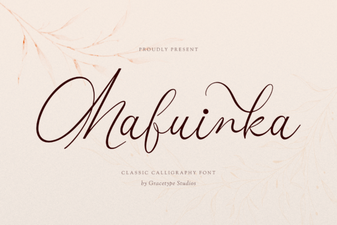 Mafuinka Font: a Creative Typeface for Modern Design
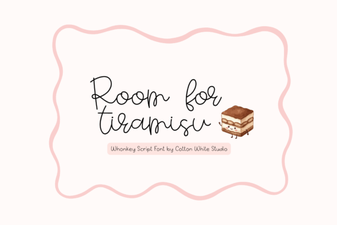 Room for Tiramisu Font: Creative Design Ideas
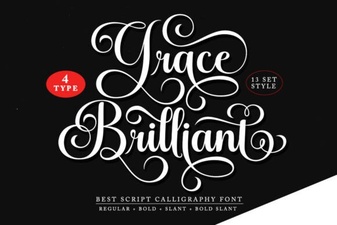 Grace Brilliant Font: Elegant Design & Creative Projects
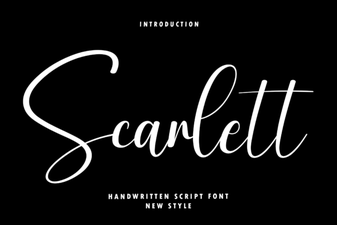 Scarlett Font: Elegant & Versatile Design Inspiration
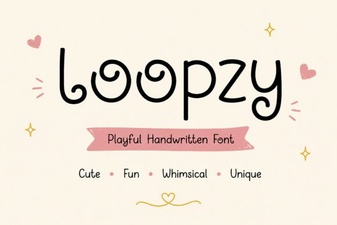 Loopzy Font: Creative Typography for Modern Design
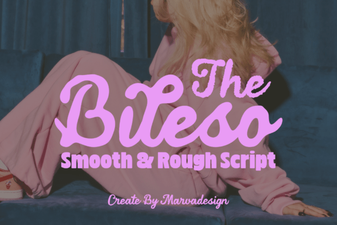 The Bileso Font: Creative Design & Practical Use