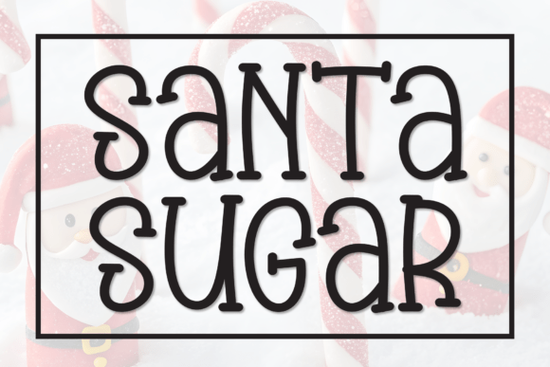
If you're looking for a friendly, hand-drawn display font that feels warm and inviting especially for holiday or celebration-themed projects the Santa Sugar Font is a thoughtful choice. It’s not overly ornate or fussy, but it carries just enough personality to make greeting cards, gift tags, or small-batch packaging feel personal and joyful. Designed with subtle irregularities and soft curves, it mimics the gentle rhythm of real handwriting without sacrificing readability at medium to large sizes.
When does Santa Sugar Font work best?
This font shines in contexts where warmth and approachability matter more than formality. Think: handmade wedding stationery, baby shower banners, Christmas market signage, or even cozy café menus during the holidays. Because it’s a display font not meant for body text it pairs well with clean, neutral sans-serifs (like Montserrat or Open Sans) for contrast and balance.
It’s also popular among print-on-demand sellers who create seasonal digital downloads. Since the file includes both uppercase and lowercase letters, plus standard punctuation and numbers, it’s easy to drop into Canva, Adobe Illustrator, or Cricut Design Space without extra setup. No ligatures or alternate glyphs to manage just straightforward, cheerful lettering.
How does it compare to other playful display fonts?
Unlike bolder, cartoon-style fonts, Santa Sugar Font keeps things light and tender more “baked cookies on a snowy afternoon” than “neon carnival sign.” If you’ve used Candyhorn Font, you’ll notice Santa Sugar has softer edges and less contrast between thick and thin strokes. It’s gentler on the eyes, especially in printed formats like invitations or folded cards.
Compared to Unibelle Font, which leans slightly more elegant and refined, Santa Sugar feels more casual and inclusive ideal if your audience skews toward families, crafters, or small local businesses rather than luxury brands. And while Amazing Newbie Font offers great versatility across moods, Santa Sugar stays consistently sweet and grounded no dramatic shifts in tone or weight to manage.
For those who love the organic flow of handwritten fonts but want something easier to pair than Robobo Font, Santa Sugar strikes a middle ground: expressive enough to stand out, simple enough to layer cleanly over photos or textured backgrounds.
What kinds of files and features come with it?
You’ll get a single OTF file compatible with most design software (including Silhouette Studio and Procreate with proper installation). There are no separate stylistic sets or bonus graphics just the core font, thoughtfully spaced and kerned. That makes it beginner-friendly and reliable for consistent output across devices.
It supports Western Latin characters (A–Z, a–z, 0–9, basic punctuation), so it works well for English-language projects right out of the box. If you’re designing for bilingual audiences or need extended language support, double-check compatibility before purchase but for most U.S., Canadian, UK, and Australian users, it covers everyday needs.
Where do designers actually use it?
We’ve seen it used well in real-world settings:
- Hand-lettered-style Christmas card suites (paired with a fine-line script for names)
- Small-batch candle or soap labels especially for scents like “Vanilla Frost,” “Ginger Snap,” or “Peppermint Swirl”
- Digital planners and printable holiday checklists (e.g., “30 Days of Gratitude” or “My Cozy Christmas Countdown”)
- Classroom decor for December themes think “Hot Cocoa Station” signs or student award certificates
- Instagram story templates for bakeries, florists, or boutique gift shops launching holiday collections
One small business owner told us they used it for their “Holiday Cookie Box” branding and customers specifically mentioned how “inviting” and “non-intimidating” the label felt compared to sharper, trendier fonts. That’s the quiet strength of Santa Sugar: it doesn’t shout. It welcomes.
If you'd like to see how it looks alongside similar options, you can explore the Santa Sugar Font directly on Creative Fabrica, or compare it with Candyhorn Font, Unibelle Font, Amazing Newbie Font, and Robobo Font.
Before downloading: Try typing a short phrase (like “Merry & Bright” or “Warm Wishes”) in your usual design tool at 48–72 pt size. Check spacing, curve consistency, and how it holds up next to your go-to secondary font. If it feels cohesive and comfortable not distracting or overly busy it’s likely a good fit for your next project.
Try It Free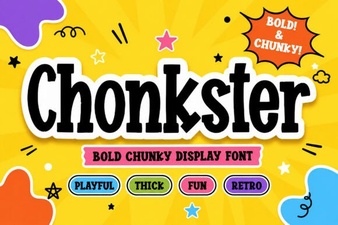 Chonkster Font: Bold and Playful Design Tool
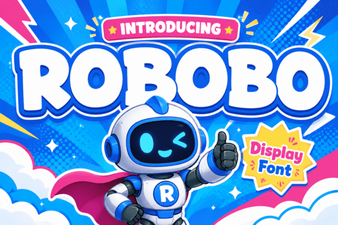 Robobo Font: a Modern Variable Font for Design Projects
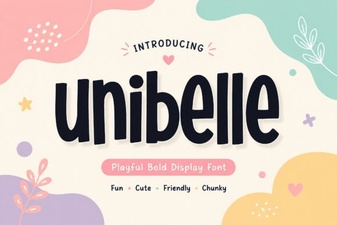 Unibelle Font: Elegant Typography for Creative Projects
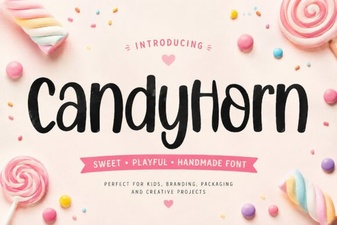 Candyhorn Font: Playful & Versatile Design Tool
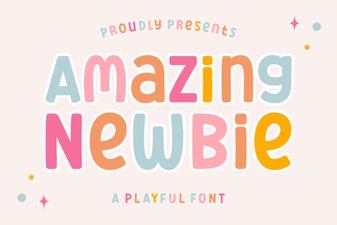 Amazing Newbie Font: Fresh Design Ideas for Beginners
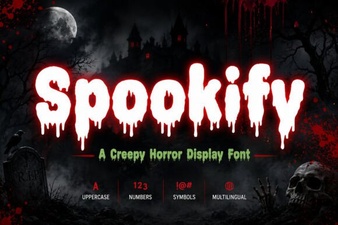 Spookify Font: Creative Halloween Typography