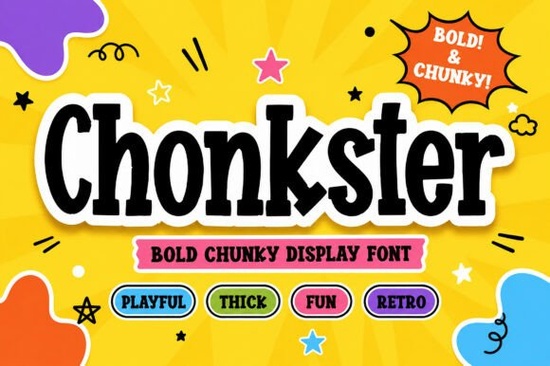
If you're looking for a bold, cheerful display font that stands out on packaging, kids’ branding, or social media graphics, Chonkster Font is a great choice. It’s not overly technical or fussy just thick, friendly letterforms with a cartoonish bounce and retro warmth. Think snack bags, toy store logos, birthday posters, or playful merch designs where readability and personality matter more than subtlety.
What kind of projects does Chonkster work best for?
Chonkster shines where clarity and charm go hand-in-hand. Its compact shapes and heavy strokes hold up well at small sizes (like on stickers or tags) and pop even more at large scale (think wall decals or event banners). Because it’s designed to feel approachable not intimidating it fits naturally in spaces where you want to invite attention without shouting.
- Kids’ products: Branding for toys, learning tools, or children’s books benefits from its rounded, non-threatening shapes.
- Snack and food packaging: Works especially well for gummy brands, cereal boxes, or candy labels where fun and appetite appeal overlap.
- Merchandise: T-shirts, tote bags, and enamel pins gain instant character with Chonkster’s chunky rhythm.
- Social media visuals: Standout Instagram story text, TikTok thumbnails, or Pinterest pins get a quick visual lift.
How does it compare to other playful display fonts?
Unlike some cartoon-style fonts that lean into exaggerated quirks or narrow use cases, Chonkster balances energy with usability. It doesn’t rely on ligatures or alternate glyphs to feel lively its personality lives in the base design. That makes it easier to use consistently across files, platforms, and team members who may not be typography experts.
If you’ve tried Robobo Font and liked its bouncy vibe but wanted something sturdier, Chonkster delivers more weight and presence. For those who enjoy Spookify Font’s expressive flair but need something friendlier for daytime or all-ages contexts, Chonkster offers similar playfulness without the thematic edge. And if you’re drawn to the warmth of Santa Sugar Font, you’ll recognize Chonkster’s same love of soft curves but with a more versatile, year-round voice.
Is Chonkster easy to pair with other fonts?
Yes especially with clean, no-frills sans serifs like Inter, Poppins, or even system fonts like Helvetica Neue. Its strong personality means it usually works best as a headline or accent font, not body text. Try pairing it with a simple, neutral typeface for product descriptions, ingredient lists, or website copy. You’ll get contrast without conflict.
For crafters and print-on-demand sellers, this pairing flexibility helps keep mockups consistent across mugs, onesies, and digital ads. Small business owners also appreciate how quickly Chonkster communicates tone no need for extra illustrations or icons to “explain” the mood.
What’s included in the download?
The Chonkster Font package includes standard OpenType (.otf) and TrueType (.ttf) files, so it works in Canva, Cricut Design Space, Adobe apps, Silhouette Studio, and most common design tools. There are no hidden layers or complex setup steps just install and start typing. No extra software or licenses needed for personal or commercial use (including POD platforms like Redbubble or Teespring).
You’ll also find basic punctuation, numerals, and Latin-based accented characters enough for English, Spanish, French, German, and similar languages. If your project needs extended language support or stylistic alternates, it’s worth checking the product page for updates, but most users find the core set fully functional right out of the box.
Where can I see real examples before buying?
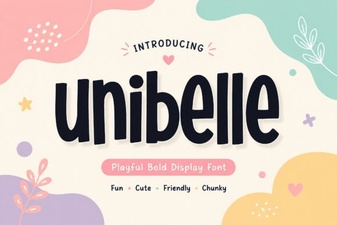
Creative Fabrica users often share previews in the comments section or upload mockups to their profile galleries. You can also try Chonkster Font directly on Creative Fabrica to view live previews, licensing details, and recent user uploads. For inspiration, browse related collections like Amazing Newbie Font or Unibelle Font they share a similar audience focus and often appear together in craft-focused bundles.
Before you download: Double-check your software compatibility, especially if you’re using older versions of Silhouette or Cricut Design Space. And if you plan to use it for physical products, confirm your printer or manufacturer supports OTF/TTF files most do, but it never hurts to verify once.
Get Started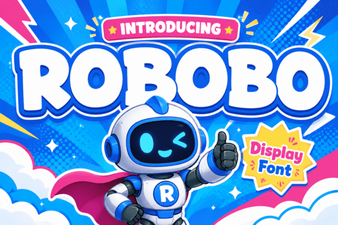 Robobo Font: a Modern Variable Font for Design Projects
 Unibelle Font: Elegant Typography for Creative Projects
 Candyhorn Font: Playful & Versatile Design Tool
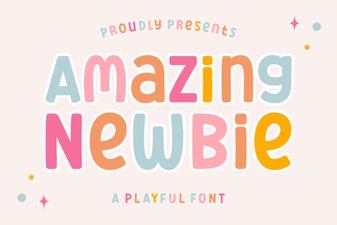 Amazing Newbie Font: Fresh Design Ideas for Beginners
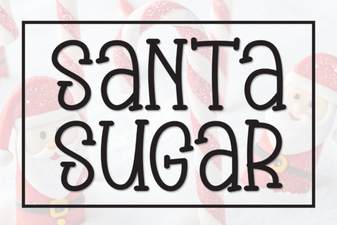 Santa Sugar Font: Playful Holiday Typography
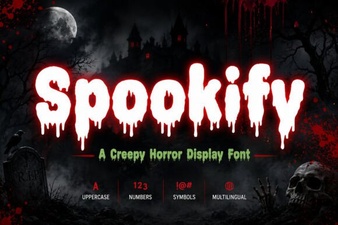 Spookify Font: Creative Halloween Typography