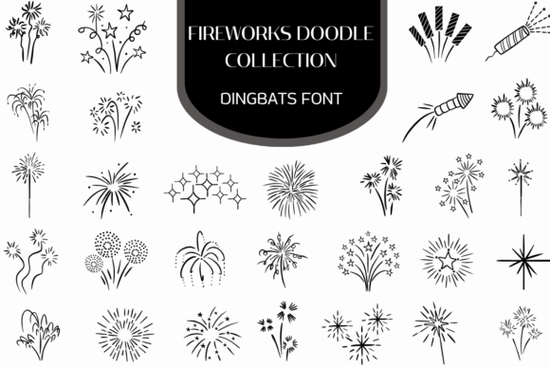
If you're looking for a quick, expressive way to add celebration and movement to your designs without layering dozens of individual SVGs the Firework Doodle Collection Font is a thoughtful, hand-drawn solution. It’s not a traditional font with letters and numbers. Instead, it’s a dingbats font: each key on your keyboard triggers a unique, line-art firework doodle like starbursts, sparklers, curling trails, or clustered bursts all drawn with consistent weight and organic flow. Designers and crafters who value authenticity over perfection will appreciate how it brings warmth and spontaneity to layouts that might otherwise feel too polished or digital.
How does this font actually work in practice?
You install it like any OpenType font (OTF), then open your design app whether that’s Adobe Illustrator, Affinity Designer, Cricut Design Space, or even Canva (via upload). Type a letter say, “A” and instead of the alphabet, you’ll see a shimmering constellation. Press “B”, and up pops a bottle rocket mid-launch. Each character maps to a different firework motif, giving you full control over placement, size, color, and spacing just like text. Because it’s vector-based, you can scale it infinitely without losing crispness, whether you’re printing a 24" carnival banner or adding tiny accents to a birthday card.
Who uses this and where does it fit best?
This font shines in projects where handmade charm matters more than rigid symmetry. Print-on-demand sellers use it for festive mugs, tote bags, and greeting cards especially around holidays like New Year’s Eve or Independence Day. Small business owners creating local event flyers (think county fairs, summer festivals, or neighborhood block parties) find it saves time versus sourcing and aligning separate icons. Crafters building layered scrapbook pages or vinyl-cut party decorations rely on its clean outlines and consistent stroke width. Even educators designing classroom celebration banners or reward charts choose it for its friendly, approachable energy.
What makes it different from other firework fonts or clipart packs?
Most firework graphics are raster images or standalone vectors hard to recolor uniformly or adjust in bulk. Others are icon fonts with stiff, geometric shapes that lack motion. The Firework Doodle Collection Font stands out because every symbol was drawn by hand first, then carefully digitized to preserve subtle variations in line taper and rhythm. That means your “streaming trail” looks like it’s still moving, and your “sparkler” feels like it’s fizzing not just sitting there. It also includes thoughtful extras: alternate glyphs for some keys, built-in spacing that avoids awkward overlaps, and compatibility across Mac and Windows systems.
It lives naturally alongside other illustrative typefaces like the doodle sticker font collection, which shares the same relaxed, sketch-like sensibility. And if you’re exploring similar options, the Firework Doodle Collection Font page shows real user examples, file details, and licensing clarity no hidden restrictions for commercial use.
Real things you can do right now
- Add instant visual rhythm to social media posts type a row of “E”, “F”, and “G” for staggered bursts behind a headline.
- Replace bullet points in invitations or email newsletters with tiny sparklers or starbursts just change the font family and keep your list formatting intact.
- Create reusable web elements, like animated hover effects (using CSS transforms on individual characters) or SVG-ready icons for blogs or landing pages.
- Layer with textures: apply a subtle paper grain overlay or watercolor brush effect to the font to deepen its hand-crafted feel.
For reference, you can also explore how other designers use similar tools like the Firework Doodle Collection Font in combination with seasonal templates or coordinating color palettes.
Before you download: Check that your software supports OpenType dingbats fonts (most do but older versions of Silhouette Studio or CorelDRAW may require manual glyph insertion via the Character Map or Glyphs panel). Also, remember that while the symbols are festive, they’re versatile you don’t need a holiday theme to use them. A single curling trail can suggest motion in a sports promo; a soft starburst works beautifully as a gentle highlight in a baby shower design.
Quick checklist before using it in a live project: ✓ Install the OTF file system-wide (not just in one app) ✓ Test a few glyphs in your primary design tool to confirm visibility ✓ Verify commercial license terms match your use case (e.g., POD platforms, client work) ✓ Pair it with a simple sans-serif body font let the fireworks stand out, not compete
Explore Design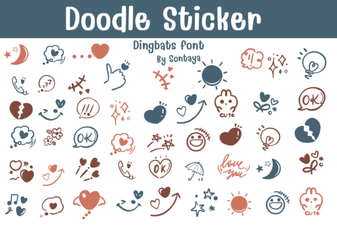 Doodle Sticker Font: Playful & Expressive Design Tool
 Chonkster Font: Bold and Playful Design Tool
 Mafuinka Font: a Creative Typeface for Modern Design
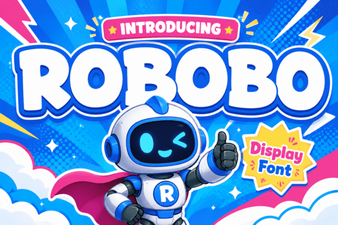 Robobo Font: a Modern Variable Font for Design Projects
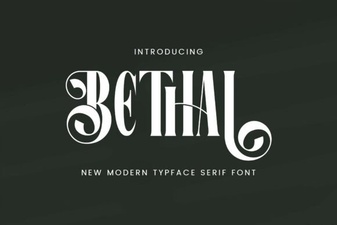 Behal Font: a Modern Classic for Your Creative Projects
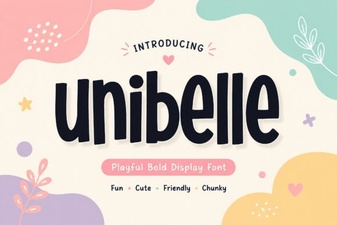 Unibelle Font: Elegant Typography for Creative Projects