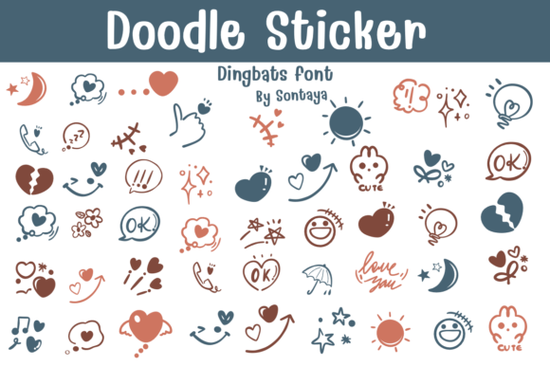
If you're looking for a playful, hand-drawn font that works as both text and decoration without needing separate sticker files the Doodle Sticker Font is built for exactly that. It’s not just another dingbat set or outline font; it’s a single, versatile typeface where each character looks like a little doodle or cartoon sticker. You can type a word and get instant charm or drop individual glyphs into layouts as standalone icons. That flexibility makes it especially useful for crafters designing greeting cards, small businesses making social media graphics, or print-on-demand sellers building themed collections.
What makes this font different from other doodle fonts?
Most “doodle” fonts fall into one of two categories: either they’re strictly decorative dingbats (no letters), or they’re script fonts with a sketchy feel but no visual consistency between letters and icons. The Doodle Sticker Font bridges that gap. Every letter, number, and punctuation mark is drawn in the same loose, joyful style and so are the extra doodles: stars, hearts, arrows, animals, speech bubbles, and more. Because it’s delivered in OTF, TTF, ProcreateFont, and Affinity-compatible formats, you can use it in tools like Procreate, Affinity Designer, and even Cricut Design Space (via TTF).
How do designers actually use it?
Here’s what real users tell us:
- Crafters layer the font over scrapbook templates or printable planners typing a quick “Happy Birthday!” gives them a full phrase made of matching doodles, no manual arranging needed.
- Print-on-demand sellers pair it with simple SVG outlines to create coloring pages that double as quote art like “You’re awesome!” with tiny stars dotting the “o”s.
- Small business owners use it for Instagram story text overlays, where the font’s casual energy feels friendly and approachable not stiff or overdesigned.
- Teachers and homeschoolers pull individual glyphs (like pencils, apples, or lightbulbs) to label classroom charts or reward charts without hunting through icon libraries.
Does it work with my software?
Yes if your app supports custom fonts, you’ll be able to install and use it right away. The OTF and TTF versions install like any system font. The ProcreateFont version loads directly into Procreate’s font menu (no conversion needed). For Affinity users, the included Affinity Photo and Affinity Designer fonts are pre-optimized you won’t see missing glyphs or spacing glitches. And because the outlines are clean and high-contrast, it scales well for both web use and large-format prints like posters or vinyl decals.
Can I combine it with other doodle sets?
Absolutely. Many users pair the Doodle Sticker Font with broader collections like the Firework Doodle Collection for seasonal variety, or mix it with the Doodle Sticker Font’s sibling sets when they need extra animals or food-themed icons. Since all these fonts share the same line weight and sketch rhythm, they blend naturally no awkward mismatching of styles.
Is it good for coloring pages?
Yes it includes a dedicated Coloring Outline variant. This version removes inner details and thickens the outer lines, making it ideal for kids’ activity sheets or adult coloring books. You don’t need to trace or simplify anything manually. Just type your word, convert to outlines (if needed), and export as a clean black-and-white vector. Bonus: because the shapes are closed paths, they fill evenly in most design apps and cutting machines.
What’s included in the download?
You’ll get:
- OTF and TTF files (for Windows, Mac, web, and cutting machines)
- ProcreateFont file (ready for Procreate 5.3+)
- Affinity Photo and Affinity Designer font files (with proper glyph mapping)
- A PDF guide showing all characters and suggested uses
- Two stylistic variants: standard doodle and simplified coloring outline
There’s no subscription or monthly fee just a one-time purchase with lifetime access and free updates if the creator adds new glyphs later.
Before you download: Try typing a short phrase in your preferred app first “Thanks!”, “Yay!”, or even your shop name to see how the rhythm and spacing feel. If you like how the letters interact and how easily the doodles integrate into your workflow, it’s likely a solid fit. If you’re building a cohesive brand look across stickers, social posts, and printables, pairing it with related sets like the Firework Doodle Collection helps keep things visually consistent without repeating the same elements.
Explore Design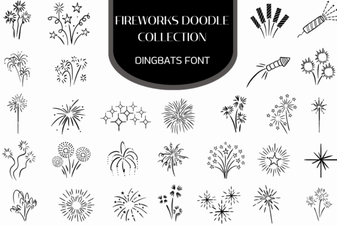 Firework Font Doodle Collection for Creative Projects
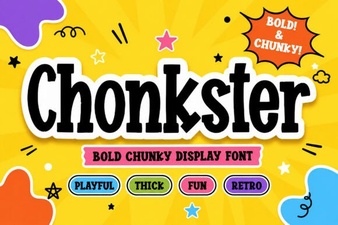 Chonkster Font: Bold and Playful Design Tool
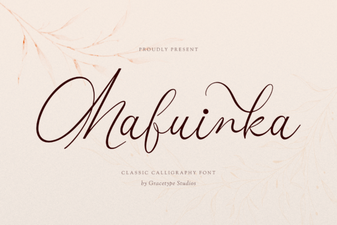 Mafuinka Font: a Creative Typeface for Modern Design
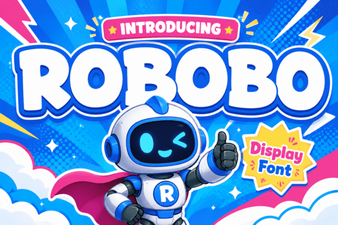 Robobo Font: a Modern Variable Font for Design Projects
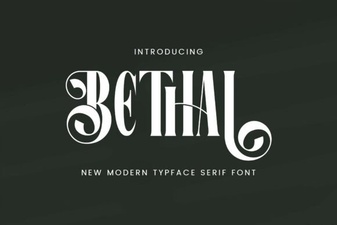 Behal Font: a Modern Classic for Your Creative Projects
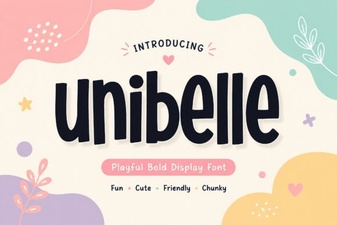 Unibelle Font: Elegant Typography for Creative Projects