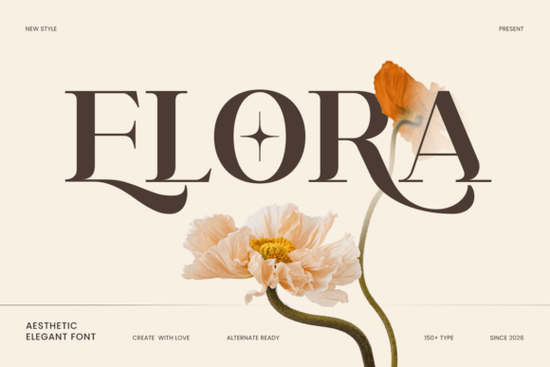
If you're looking for a font that feels both polished and approachable something that works just as well on a boutique wedding invitation as it does on a seasonal greeting card or a small-batch product label Elora Font is worth your attention. It’s not overly ornate, but it carries quiet confidence: smooth curves, balanced spacing, and letterforms that read clearly at small sizes and shine at large ones. Designers and crafters who value subtlety over flash often find Elora fits naturally into their workflow especially when they need typography that supports, rather than competes with, their visuals.
When does Elora work best?
Think of Elora as your go-to for projects where tone matters as much as legibility. It’s frequently used by print-on-demand sellers for minimalist apparel tags and gift wrap designs, by small businesses crafting cohesive brand assets (like business cards or social media banners), and by hobbyists making handmade cards or Cricut-cut wall art. Because it handles seasonal themes so gracefully whether it’s soft spring florals or rich autumnal palettes it shows up often in digital scrapbooking kits and holiday SVG bundles.
It also pairs well with other serif fonts that share its refined sensibility. For example, if you like the clean structure of Behal Font, you’ll notice how Elora offers a slightly softer rhythm while keeping the same professional polish. Or if you’ve used Secth Vought Font for editorial layouts, you might appreciate how Elora brings similar typographic discipline but with more warmth and flow.
What’s actually included and what does that mean for you?
You get three file formats: OTF, TTF, and WOFF so whether you’re designing in Adobe Illustrator or prepping files for web use, you’re covered. Installation is straightforward on Windows, macOS, or Linux. And yes, it works with Cricut Design Space and Silhouette Studio out of the box no extra conversion needed.
The multilingual support is practical, not just theoretical. If your shop sells globally or you design for bilingual clients, Elora includes glyphs for languages like French, Spanish, Portuguese, Swedish, Finnish, and Indonesian plus several less commonly supported ones like Oromo and Nyankole. That means fewer last-minute font swaps when localizing a project.
PUA encoding means special characters (like stylistic alternates or ligatures) appear directly in your font menu even in programs like Microsoft Word. No need for OpenType-aware software to access them. You can toggle between standard and alternate glyphs without switching apps.
How does it compare to other luxury serifs?
Unlike some high-contrast display serifs that fade at smaller sizes, Elora maintains readability down to 10 pt making it usable for body text in premium brochures or fine-print labels. Compared to Blades of Fortunes Font, which leans more dramatic and calligraphic, Elora keeps things grounded and versatile. It’s the kind of typeface you reach for when you want elegance without effort or when you need one font to do multiple jobs across a single brand system.
It’s also been tested across real-world tools: Adobe Photoshop for mockups, InDesign for multi-page layouts, and even embroidery software where clean vector paths matter. The outlines are optimized not too thin, not too heavy so they cut cleanly on fabric or vinyl and render crisply on screen.
Real uses from real creators
- A stationery maker used Elora for a set of summer wedding invitations paired with light linen textures and muted sage ink. Clients commented on how “calm” and “timeless” the typography felt.
- A small candle brand applied it to jar labels and Instagram story templates. Because the font scales well, they reused the same logo lockup across packaging, website headers, and email footers.
- A Cricut user layered Elora over hand-drawn botanical elements for Easter-themed wall decals and reported zero issues with cut accuracy, even at 1.5-inch height.
If you’re curious about how it looks alongside other popular options, you can explore Elora Font directly on Creative Fabrica, where you’ll see live previews and user-uploaded examples.
Before downloading: Check your project’s language needs if you’re working primarily in English or Western European languages, you’ll be fully covered. If you need extended Cyrillic or Arabic support, this isn’t the right fit. Also, keep in mind that while Elora has stylistic alternates, it doesn’t include full variable weight control (so no built-in light or bold variants those would need pairing with complementary fonts).
Next step: Try it in a low-stakes project first like redesigning a thank-you note template or updating a Canva social post. See how it feels next to your existing color palette and imagery. If it clicks, it’ll likely become one of those quietly reliable fonts you return to again and again.
Get Started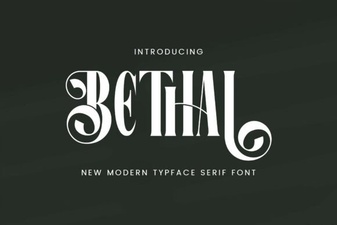 Behal Font: a Modern Classic for Your Creative Projects
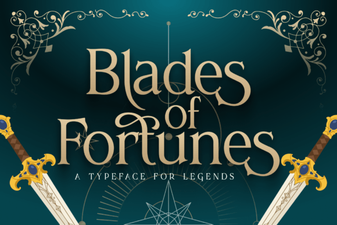 Creative Typography: Designing with Blades of Fortunes Font
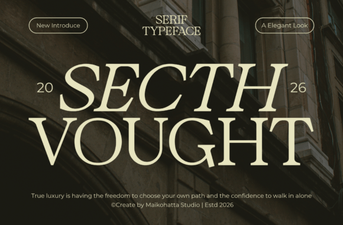 Secth Vought Font: Bold, Expressive Design Tool
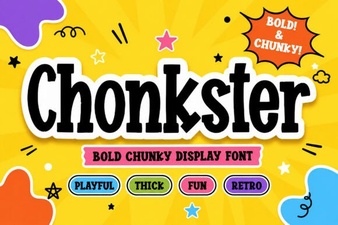 Chonkster Font: Bold and Playful Design Tool
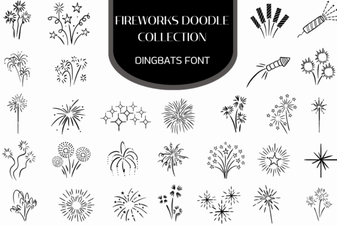 Firework Font Doodle Collection for Creative Projects
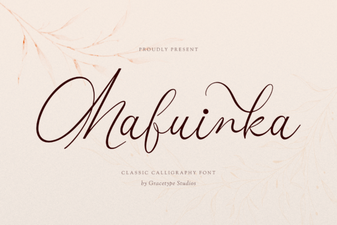 Mafuinka Font: a Creative Typeface for Modern Design