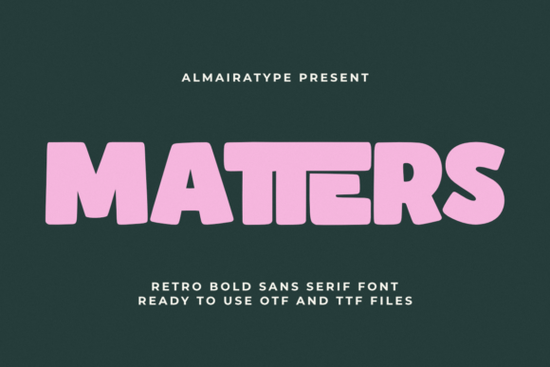
If you're looking for a bold, friendly sans serif font that works as well on a t-shirt chest print as it does on a social media banner or a sticker sheet, Matters Font is worth your attention. It’s not just another retro typeface it’s thoughtfully drawn with clean vector outlines, consistent weight, and subtle warmth that avoids feeling dated or overly kitschy. Whether you’re designing for a small clothing line, prepping files for Cricut or Silhouette, or building a cohesive brand identity for your Print on Demand shop, Matters delivers clarity and character without extra fuss.
What makes Matters different from other retro sans fonts?
Many vintage-inspired fonts lean too hard into 70s clichés think exaggerated curves, inconsistent spacing, or thin strokes that break down at small sizes. Matters avoids those pitfalls. Its thick, even stems and open counters keep text legible even at smaller point sizes, while its rounded terminals and gentle angles give it approachability. It’s confident but not aggressive; nostalgic but not costume-y. You’ll notice it especially when comparing it to similar options like Bright Sparkle Font, which leans more decorative and script-influenced, or Campus Font, which has a sharper, collegiate feel. Matters sits comfortably between them: structured enough for logos, relaxed enough for craft labels.
Who uses Matters and where does it work best?
Small business owners and independent makers tell us they reach for Matters most often in three real-world scenarios:
- T-shirt and apparel design The bold weight holds up beautifully on fabric prints, especially on dark backgrounds or textured materials like organic cotton or fleece.
- Sticker and vinyl projects Because it’s built with crisp vector paths and minimal internal details, weeding time drops significantly. No tiny gaps or fragile joins to snag on your blade.
- Social media and digital ads Unlike some display fonts that blur or pixelate on mobile screens, Matters renders cleanly across devices even in Instagram Stories or Facebook cover images.
It also pairs well with simpler, neutral fonts for body text. Try pairing it with a clean geometric sans (like Montserrat or Inter) or even a soft serif for contrast. If you like the vibe of Matters, you might also enjoy Aesthetic Things Font though that one leans more delicate and handwritten, making it better suited for quotes or feminine branding rather than high-impact headlines.
Is Matters compatible with my tools?
Yes it’s delivered as OTF and TTF files, so it installs and works in Adobe Creative Cloud apps (Photoshop, Illustrator, InDesign), Canva, Affinity Designer, and free tools like GIMP or Inkscape. More importantly, it’s been tested with common cutting machines: Cricut Design Space, Silhouette Studio, and Sure Cuts A Lot. Users report smooth scaling, no jagged edges, and reliable node handling when converting to outlines or SVGs. Just avoid applying effects like shadows or strokes directly in your design software before sending to cut stick to the native font shape for best results.
How does it compare to other Creative Fabrica sans serifs?
Matters stands out for its balance of thickness and friendliness. Bright Sparkle Font adds sparkle and whimsy, great for greeting cards or kids’ products but less ideal for professional branding. Campus Font brings athletic energy and tight letterfit, perfect for team merch or school projects. And Aesthetic Things Font offers light, airy charm ideal for wellness brands or minimalist packaging. Matters fills the middle ground: bold enough for visibility, warm enough for connection.
One practical note: if you plan to use Matters in commercial products (like selling mugs or digital templates), double-check the license included with your purchase. The standard license covers unlimited personal and commercial use including POD platforms but doesn’t extend to resale as a standalone font file or embedding in apps/software.
Ready to try it?
Here’s what to do next:
- Download the font and install it on your machine (double-click the .otf or .ttf file, then click “Install”).
- Open a blank document and type a short phrase try “Summer Sale” or “Handmade With Love” at 80–120 pt to see how the spacing and weight feel.
- Test it in your usual workflow: paste it into Cricut Design Space or Silhouette Studio, convert to outline, and check for any unexpected joins or gaps.
- Compare it side-by-side with fonts you already own especially ones you reach for often to see where Matters fits (or replaces) in your toolkit.
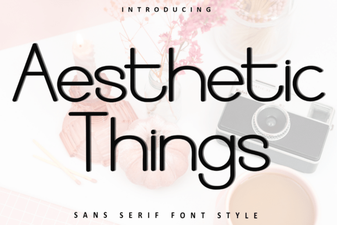 Aesthetic Fonts for Beautiful Visual Design
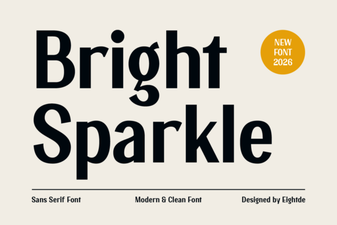 Bright Sparkle Font: Creative Design Ideas
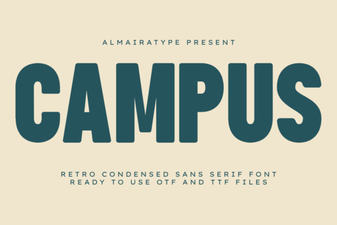 Campus Font: Creative Typography for Campus Projects
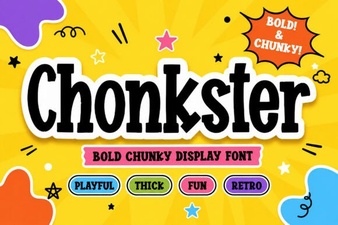 Chonkster Font: Bold and Playful Design Tool
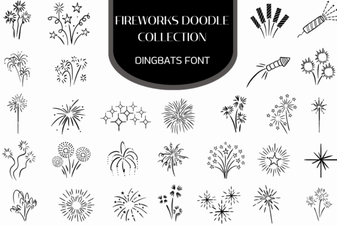 Firework Font Doodle Collection for Creative Projects
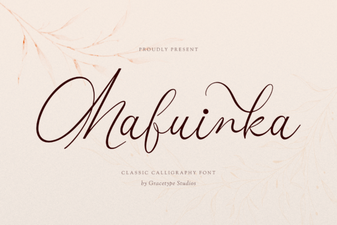 Mafuinka Font: a Creative Typeface for Modern Design